Sketches for engineers
How to read a prototype, pull the hand-off files, and drive Sketch from the CLI and MCP. Blueprint reading lives in Blueprints for engineers.
The model
A sketch holds variants – named lines of versions – and each variant holds numbered versions. Every version has a label like 0.3 or 2.0, and may be split into screens.
Prototypes come in two kinds: HTML (design systems merchant-dashboard and shadcn) and React pinned to merchant-ui. Only React prototypes are exported. Reports are a separate category with their own Reports tab and are not listed under Sketches. React prototypes and reports can be finalized; a report finalizes only once every Snowflake query is converted to Looker. See sketch guide reports and sketch guide report-finalize.
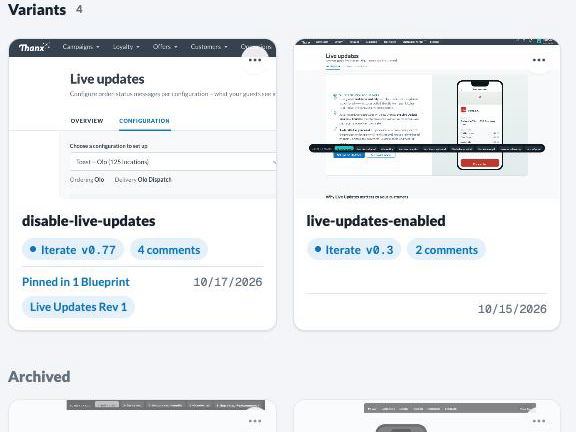 ✥
 ✥
Working files sit in ~/.sketch/staging/<slug>/<variant>/. The server stores each published version separately, so nothing you publish is overwritten.
The viewer
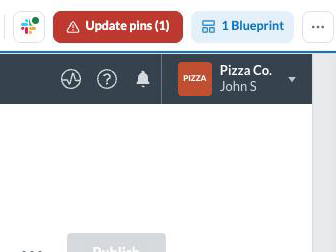
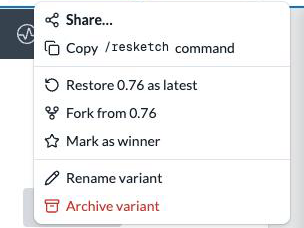
A published version opens at /<sketch>/<variant>; ?v= picks the version. The top bar carries the variant switcher and version picker, and the ⋯ menu holds Share, Copy /resketch command, Restore, Fork, Mark as winner, Rename and Archive. A report’s top bar has no Design assets; it carries a size pill, an N not filtered pill listing the fixed queries that ignore page filters, Queries and Publish (to Thanx).
 ✥
 ✥
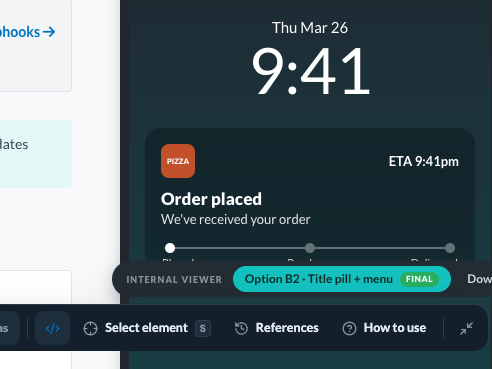 ✥
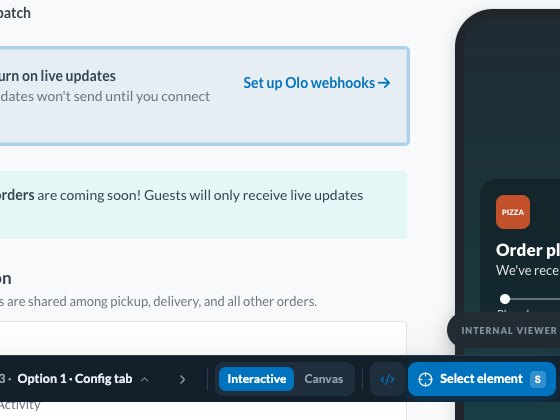
The dock is the floating tool bar at the bottom: Comment C, Revise R, Edit E, Delete D, pin visibility H, and Developer mode. When the page has several screens or declares a flow, presets or toggles it also holds Scenarios; see Screens, states and assets. S selects an element in developer mode. { and } step through screens; [ and ] switch variants. Collapse it to a bottom-right pill, and the choice is remembered in your browser. ← and → step through the flow’s steps when the page declares a flow, from the viewer or an HTML prototype. A React prototype keeps its own arrow keys while focus is inside it.
The workflow for drafts, publishing, /sketch and /resketch is covered in Sketch for designers.
Versions and stages
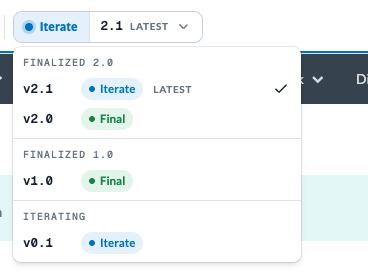
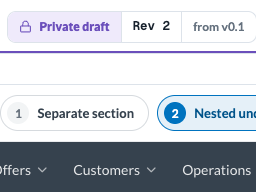
A stage is Draft (your private, unlabelled copy), Iterate (published 0.1, 0.2, …), or Finalized (1.0, 2.0, …). Publishing after a finalize makes N.1, N.2.
 ✥
 ✥
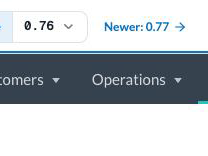 ✥
- Label vs legacy integer. Labels (v0.45) are what you see. Older bookmarks, CLI output and API arguments may still use the bare integer (45, printed as v45 (0.45)). A reference with a dot is a label; a bare integer is the legacy sequence. An unknown version is an error, never “latest”.
- Restore copies an old version forward as a new latest; Fork copies it into a new variant that starts at 0.1. Nothing is overwritten.
Screens, states and assets
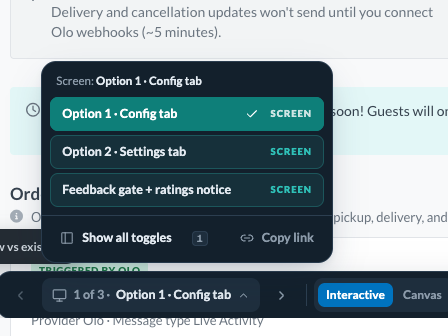
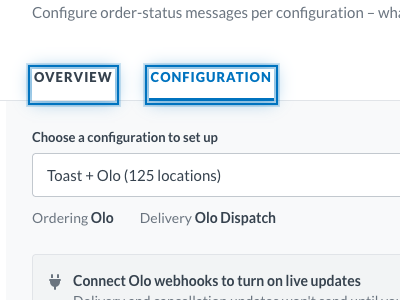
A prototype with several surfaces marks each with <template id="screen-<slug>"> or data-screen="<slug>"; the dock’s Scenarios control lists them. Use data-screen if your script needs to query a surface, because template content is inert.
 ✥
 ✥
 ✥
 ✥
- data-hot goes on every element with a real click handler, never on something that only looks clickable. sketch upload warns, but never blocks, when it is missing or has no detectable wiring.
- data-state-control="<name>" and data-state-value="<value>" go on a data-hot element that sets visible in-page state, such as a tab. Same name, different values. Export strips these markers from adoptable components, and the archive README maps removed markers and state controls back to raw-export/; see Adoptable files.
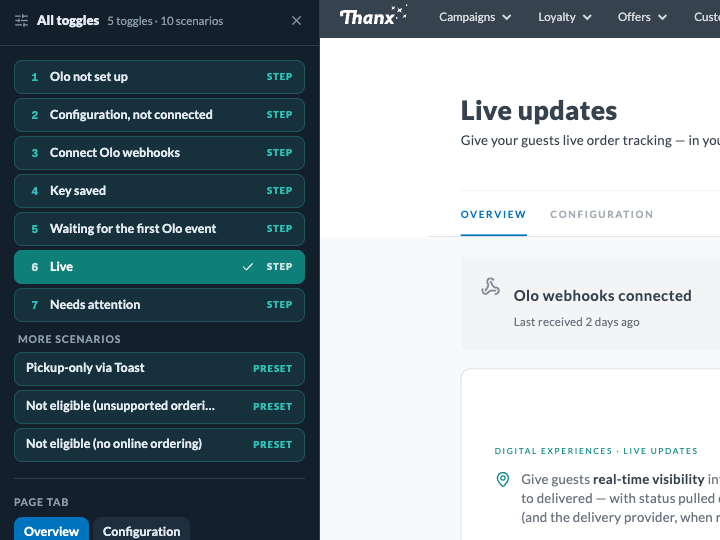
- Page states. Variations reviewers should reach, including wireframe ideas, are declared with Sketch.useSketchState in React or window.SketchStates in HTML, with optional presets and a flow; see sketch guide states. Ideas are values of an idea page state, chosen from the dock's Scenarios control. Scenarios lists the flow's steps (with other presets below them), otherwise the presets, otherwise the screens, with previous and next arrows beside it; Show all toggles opens a 320px rail on the left that scales the prototype down to fit beside it when needed, without reloading it. A page with only toggles gets a Toggles button that opens the rail directly; below 960px the rail is a bottom sheet. The viewer URL carries ?state.<name>=<value>, which Copy link copies. Comments record the active state and restore it when opened; sketch comments prints it as a state: line.
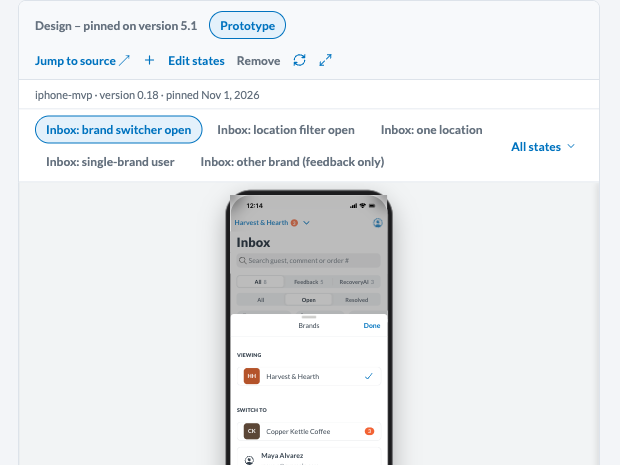
- Pinned in Blueprints. A Blueprint node can pin up to 10 of a version’s states as tabs. Label states so they group: text before a · is the section, and a section named like the node is offered first when pinning. sketch states <sketch> <variant> [--version <label>] lists what a version declares. sketch upload records that catalog after a publish, and warns when it drops a state a Blueprint pinned; the tab turns stale. A reference recorded on a tab replays that state first.
- Images. Reference them with ordinary relative paths from index.html. On sketch upload the server stores each file and rewrites the stored HTML to the version’s /api/v1/prototypes/<sketch>/<variant>/assets/<key> URL, for drafts and published versions alike. Relative CSS url() in inline styles is rewritten the same way; css_asset_not_rewritten warns on a missing or unsupported target. A script path that names a missing, unsupported or unrewritable file gets runtime_asset_path, with its file and line; use a static <img> (a hidden one the script reads works) or CSS url() instead. Neither warning blocks upload.
- Dock clearance. Keep bottom-pinned controls at bottom >= 72px or anchor them at the top; a higher z-index does not help. While the toggles rail scales the frame, only top anchoring or the layout message stays clear. Read sketch guide dock for the dynamic layout message.
Design assets
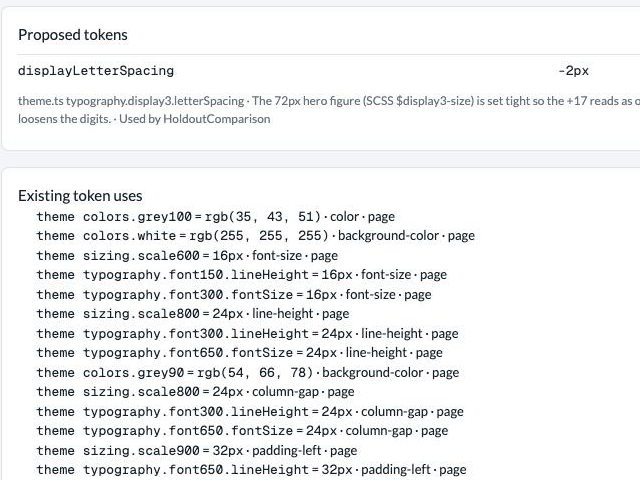
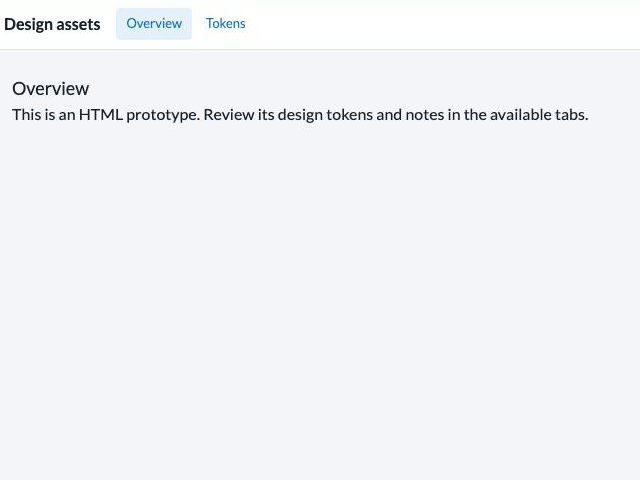
The Design assets button opens a panel with Overview, Components, Tokens and Notes. Tabs appear only when there is something to show.
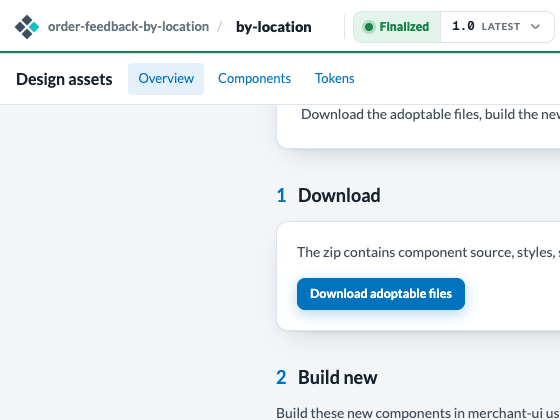
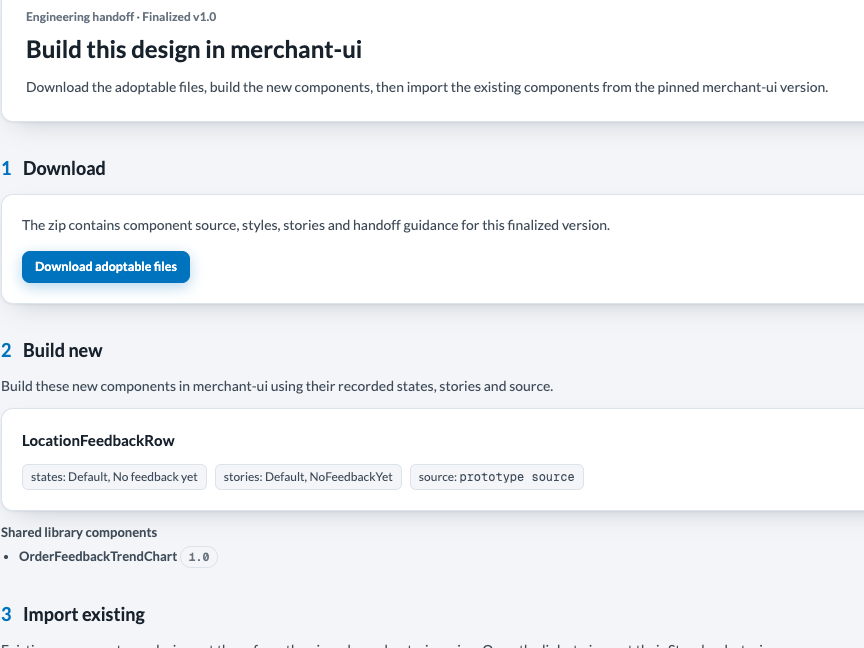
On a finalized React version the panel adds an Engineering handoff section in three steps: Download the adoptable files, Build new components, and Import existing merchant-ui components. Notes on a finalized version are the snapshot taken at Finalize.
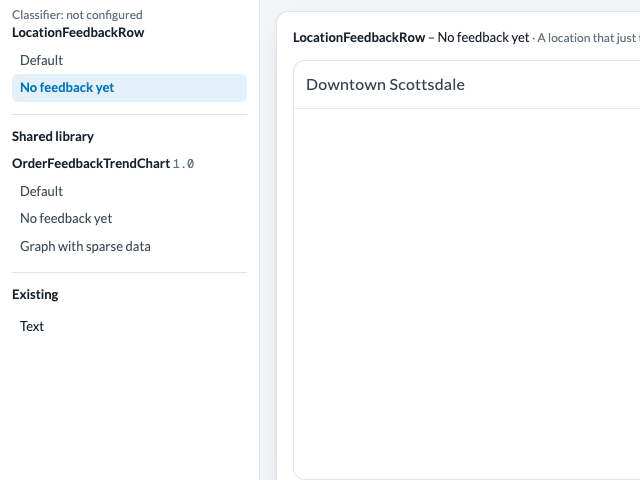
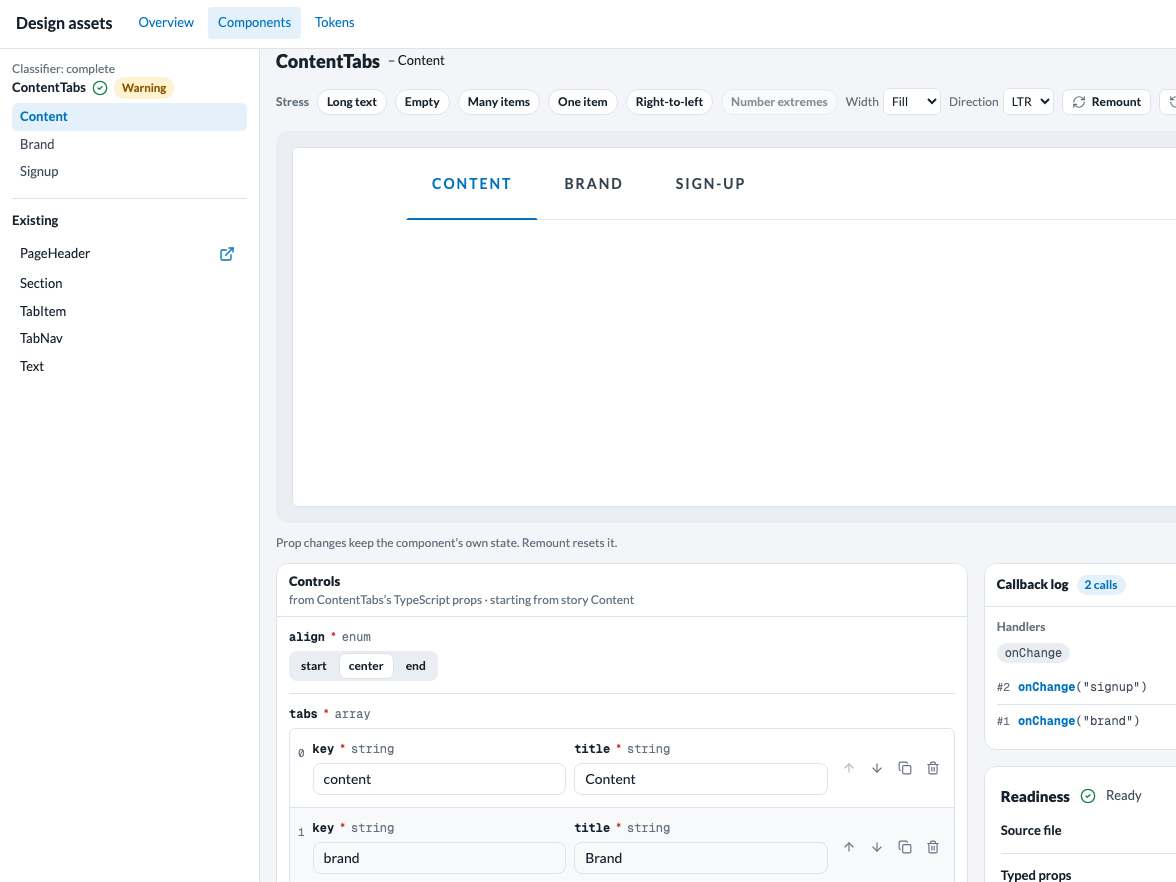
In Components, switch a preview from Story to Playground: controls generated from the component’s TypeScript props, a callback log of every handler call, and stress presets. On a finalized version each component carries its readiness icon. The playground’s deep link is ?assets=components&component=<Name>&playground=1.
 ✥
 ✥
 ✥
 ✥
 ✥
 ✥
Finalize applies to React prototypes pinned to merchant-ui and to reports, which have no Design assets. For merchant-dashboard and shadcn sketches, hand-off is a published version plus implementation references. Components are covered in the Design-system workflow.
Adoptable files
The adoptable files are a zip for one finalized React version. Anything else is refused (export_not_finalized, export_not_react).
Get it three ways:
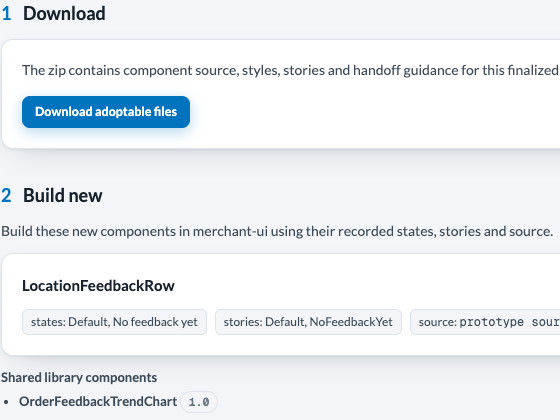
- UI: Download adoptable files in the Engineering handoff section.
- CLI: sketch export <slug> <variant> --version <V> [--out <path>] [--include-tooling]. It prints the archive path and the merchant-ui commit it was built against.
- MCP: the prototype_adoptable_export tool; see the appendix.
The archive holds manifest.json, README.md and strip-map.json at the root. Adopt clean-export/: each component with its story, test and locale, tokens/, and a docs/ snapshot of the notes. Readable implementation is clean-export/prototype/author.html; the portable clean-export/prototype/index.html is an unsanitized visual reference containing Sketch markers; do not port from it. The sparse raw-export/ holds the as-authored files changed by sanitizing, plus the author source even when unchanged. Absence from that tree means unchanged; read the clean copy. Use raw files only to recover intent and rebuild behavior with real product wiring, never by copying prototype markup. The README maps removed markers, state controls and idea slugs to raw locations, lists remaining scaffolding and skipped removals, and names demo regions and unmarked prototype controls that must not be ported. strip-map.json holds every finding when README marker lists are capped. Each literal useSketchState call exports as plain React.useState, and the README's State recovery section lists every page-state axis, preset and flow step to rebuild with real product routing or state. clean-export/tooling/ is added only with --include-tooling and is reference only.
 ✥
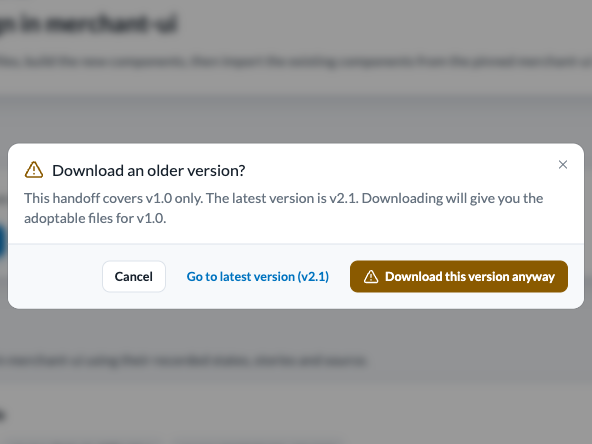 ✥
Components that are newer elsewhere, already in merchant-ui, built on a moved base, or retired are moved to clean-export/STALE/<Name>@<version>--<REASONS>/, listed in clean-export/STALE-COMPONENTS.md, and the zip name gains -STALE. The CLI prints the stale list first. Older versions’ hand-off covers that version only.
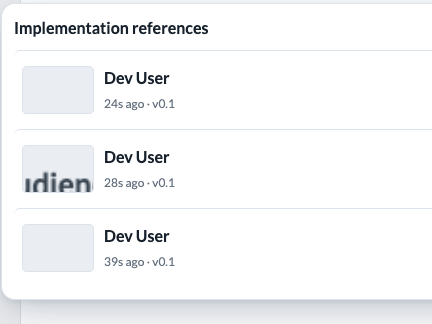
Implementation references
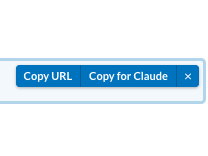
An implementation reference is a stable link to one selected element of one version, so Claude can read exactly what you meant. Turn on Developer mode in the dock, press S or choose Select element, click an element, then Copy for Claude.
 ✥
 ✥
 ✥
The pasted text tells Claude to call get_selection_context with that reference_url. Blueprint requirements keep their references too: blueprint_requirement_references over MCP, sketch blueprint reference in the CLI. For HTML sketches, this plus the published version is the whole hand-off.
The CLI
Build the Go CLI from a checkout with devbox run cli:build; the binary lands at cli/sketch. Commands below are written as sketch …; run them as cli/sketch from the checkout, or put cli/ on your PATH. Do not use a bare go build: it skips the version stamp the server requires, so the server rejects the binary.
- Sign in explicitly. sketch auth login opens a browser for device approval and saves ~/.sketch/credentials.json. No other command starts a login; a signed-out command tells you to run it. auth status and auth logout complete the set.
- Server. SKETCH_SERVER, then sketch config set-server <url>, then https://sketch.thanx.com.
- Version gate. Signed-in commands check the server’s minimum and latest versions (cached for an hour within one run). Below the minimum the command blocks; behind latest it warns. Both say to run git pull && devbox run cli:build. The server also answers 426 to a stale client.
Run sketch --help for every flag. Commands by group:
- Sketches
- list, show, create, rename, set-prd-url, open, workspace show|list, versions
- Publish
- upload <dir> --sketch --variant (also --check, --draft, --watch, --summary, --require-thumbnail), draft publish, pull, import-bundle, upgrade-design-system
- Hand-off
- finalize [--check], finalize loop start|begin|diff|finish|status, export --version
- Feedback
- comments, revisions, inline-edits, intake, brief, log
- Components
- component list|show|pull|push|upgrade|retire|review|warnings|confirm and the adoption commands; notes, tooling
- Blueprints
- blueprint subcommands, blueprint reference, blueprint update --owner --status, blueprint list --status --owner; see Blueprints for engineers
- Reports
- report query run, report convert (the Finalize conversion ledger), report publish --target dev (finalized versions only: 1.0, 2.0, …; Finalize first if the selected version is an iteration; --dry-run previews any version), upgrade-report-libraries
- Guidance
- guide [topic] prints workflow guidance without login; guide sync-skills; states <sketch> <variant>; config; screens, build-job and result are plumbing that the sketch skills drive
Topics under sketch guide: workflow, finalize, brief, decisions, components, use-components, build-component, propose-component, propose-token, dock, states, reports, report-finalize.
Every upload, draft publish and upload --check prints an advisory readiness section for the agent: components against the readiness rules, and for a report, its Finalize blockers. It never blocks and never shows in the viewer; Finalize enforces it. finalize --check reports every finding in one pass.
In a Sketch checkout, a session-start hook runs sketch guide sync-skills, which writes each topic as a sketch-* Claude Code skill. When the CLI is missing, the hook builds it if go and make are on the path; otherwise it prints the devbox run cli:build fix.
MCP and Keystone
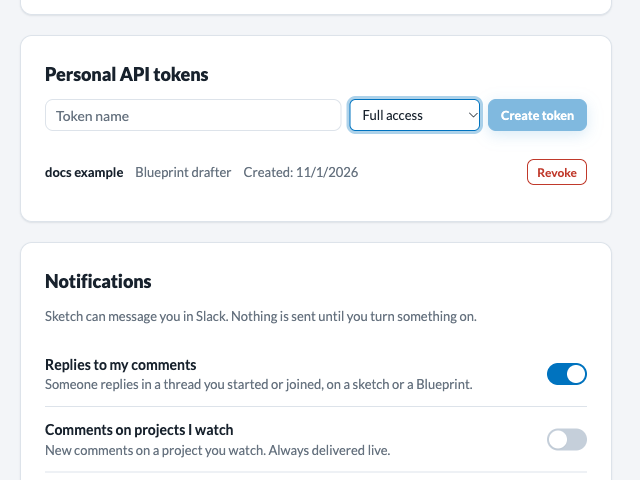
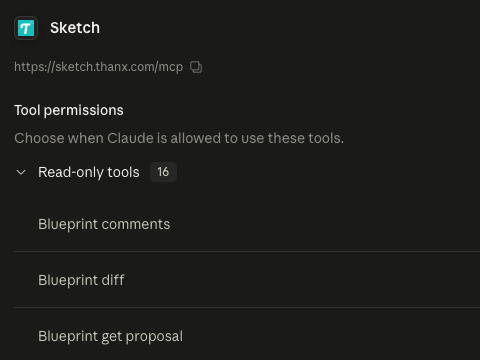
The Sketch MCP server lives at /mcp on the Sketch host. OAuth-capable clients (Claude Code, Claude Desktop, claude.ai connectors) sign in with Google. For scripts, create a personal API token in the Personal API tokens block of your profile and send it as Authorization: Bearer <token>. Pick Full access or Blueprint drafter (reads anything, writes only Blueprint proposals).
 ✥
 ✥
- Prototype and components
- prototype_provenance, prototype_adoptable_export, prototype_page_states, get_selection_context, component_library_list, component_library_show
- Blueprints
- blueprint_* reads and proposal writes, including blueprint_set_proposal_severity and blueprint_request_proposal_review (blueprint_update edits name, metadata, owner and status directly); see Blueprints for engineers
- Changelog
- changelog_list, changelog_get
The claude.ai connector is the Sketch MCP server above, with the tools listed here, including proposal writes. Keystone is a separate read-only proxy; its sketch_* tools (Blueprint reads, sketch_get_prototype, sketch_get_prototype_file, sketch_get_prototype_manifest, sketch_get_prototype_source) read the same data but never write.
Glossary
- Sketch
- The top-level prototype container: variants, each with numbered versions.
- Variant
- A named line of versions inside a sketch. Several ideas live inside one variant.
- Version label
-
Server-assigned
MAJOR.MINOR. Older integer versions map to0.N. - Stage
- Draft, Iterate (0.x or N.x) or Finalized (N.0).
- Finalize
- The step that freezes the next N.0 of a React prototype or report after every check passes.
- Readiness
- A component’s score against the rules an engineer needs: green, yellow or red.
- Playground
- Live controls for every prop of a component, with a callback log.
- Adoptable files
- The zip engineers build from, for one finalized React version.
- Implementation reference
- A stable link to one selected element of one version.
- Pinned state
- A page state a Blueprint node pins as a tab in its design pane, up to 10 per node.
- Report
- A sketch that reads live merchant data. Listed under Reports, not Sketches.
- Hotspot
- An element marked
data-hot: it has a real click handler. - Dock
- The floating tool bar at the bottom of the viewer.
- STALE
- Hand-off components that must not be adopted as-is.
- Keystone
- Read-only proxy for Thanx internal systems, including Sketch data.
Appendix
get_selection_context
Input: reference_url (required), include_dom, include_screenshot. Accepts implementation-reference and draft-reference URLs.
provenance        // sketch, variant, revision, version_label, viewport, captured_at
state
screenshot
dom
presentation       // incl. token_classification; "unavailable" with no design-system pin
assets
behavior_notes
limits
target_summary    // { tag_name, role } of the selected element
react              // React versions only
Failure returns error: "implementation_reference_unavailable" with phase and reason.
prototype_adoptable_export
Input: sketch, variant (required); version (defaults to the latest finalized), path, include_tooling.
stale               // { count, message, components }
archive_filename, sketch, variant, version, version_label
merchant_ui_commit
manifest, readme
files               // both trees: [{ path, size, bytes, sha256, encoding }]
next_step
With path, the response is that one file entry plus content, UTF-8 text or base64. A failed export check returns error, message and findings; a non-React or missing version returns a plain text error.